Compare chest X-ray AI tools by finding scope, FDA or CE status, triage versus detection use, PACS workflow, privacy, and radiologist review.
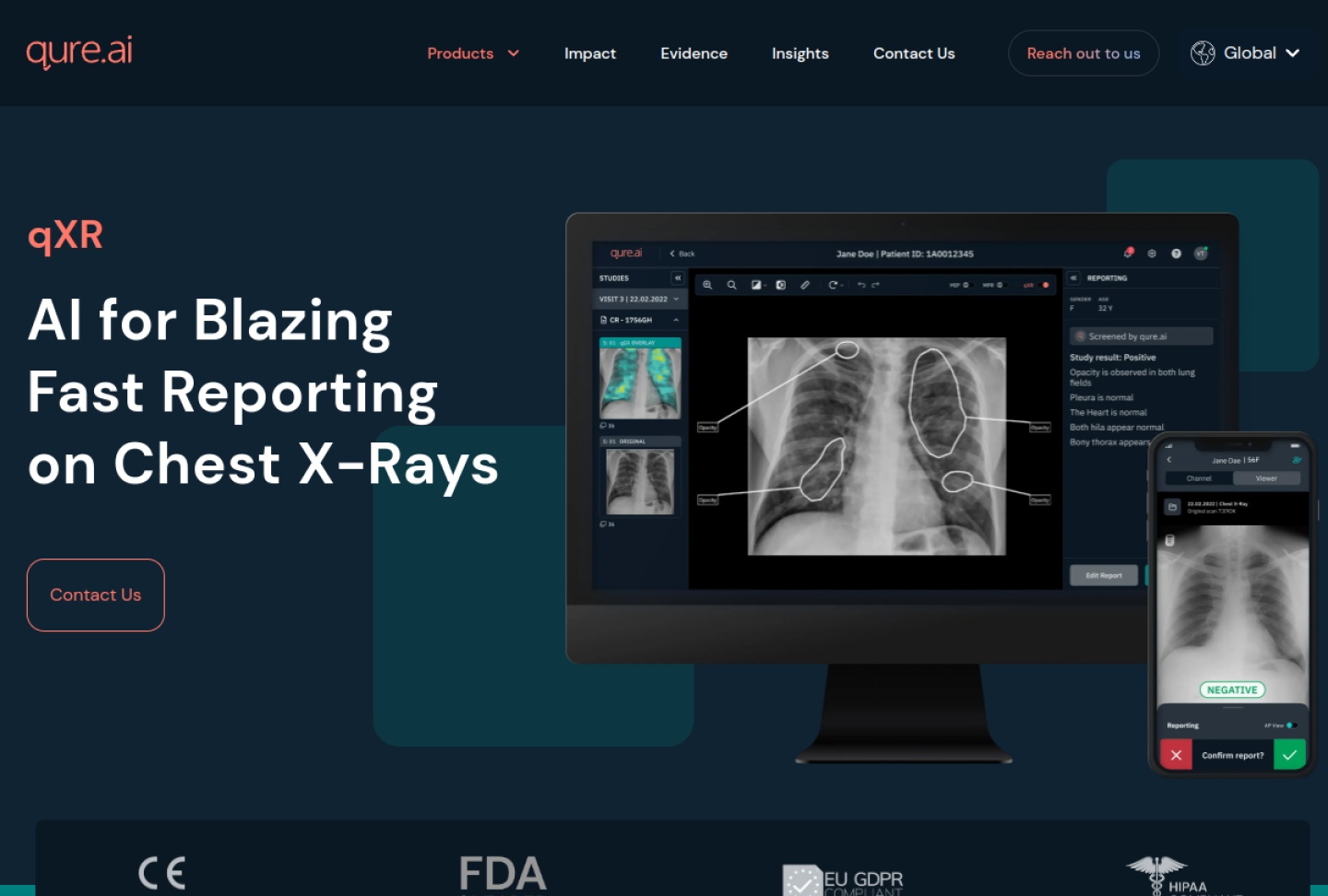
Representative source image: official Qure.ai qXR product page.
Quick answer: Chest X-ray AI tools can help flag suspected findings, prioritize worklists, localize abnormalities, measure structures, and support radiology reporting. Buyers should verify the exact module, software version, finding list, modality, patient population, FDA or CE status, PACS/RIS behavior, privacy terms, and radiologist review workflow before using CXR AI in care.
Who this guide is for
Radiology departments, emergency departments, ICU leaders, public-health screening programs, teleradiology groups, and imaging AI governance teams evaluating CXR AI.
What makes this workflow different
Chest X-ray AI products often market broad abnormality coverage, but authorization, evidence, and workflow risk vary by finding, module, region, and whether the output prioritizes, detects, measures, or drafts reporting support.
What to verify before using it
Match every marketed finding to the exact FDA, CE, UKCA, or local authorization, including whether the tool is triage, detection, measurement, reporting support, or screening.
Confirm supported patient age, view type, acquisition setting, scanner mix, portable CXR behavior, ICU/ED workflow, and whether TB or public-health screening claims are in scope.
Review cloud versus on-prem processing, de-identification, DICOM metadata handling, retention, support access, BAA or DPA terms, and cross-border transfer controls.
Pilot by finding and site, then monitor false positives, missed critical findings, turnaround time, alert fatigue, report edits, escalation delays, and subgroup performance after launch.
Risk level and safe use
Medical risk
High
Best first step
Write the workflow in one sentence, decide who reviews the AI output, and test with a small controlled pilot before expanding.
Recommended posture
Use AI as supervised workflow support. Verify sources, privacy, human review, and regulatory fit before relying on outputs.
Source-backed products for this workflow
These profiles are not rankings. They are starting points for checking vendor claims, privacy terms, FDA or regulatory posture, evidence, and workflow fit.
Qure.ai describes qXR as chest X-ray AI for pre-read assistance, overlays, reporting support, abnormality detection across chest anatomy, and cloud or on-premise deployment; Qure's regulatory page lists several qXR-related FDA 510(k) clearances, FDA materials for qXR-PTX-PE describe adult chest X-ray triage that is not intended for standalone clinical decision-making, and FDA K251934 covers qXR-Detect as adult chest-radiograph CADe for concurrent reading aid use.
Best for
Organizations that need chest X-ray support for high-volume radiology, emergency, ICU, lung, TB, or public-health workflows with radiologist review.
First check
Which qXR module, finding set, software version, and geography are in scope for the planned chest X-ray workflow.
Oxipit describes ChestLink as a CE Class IIb autonomous AI imaging application for chest X-ray analysis that reports high-confidence studies with no abnormalities; Oxipit materials outline retrospective, supervised, and autonomous deployment phases, while Sectra announced and completed its acquisition of Oxipit in 2026. Oxipit's privacy notice is a website notice, so clinical data-processing terms should be checked contractually.
Best for
European radiology programs studying tightly governed autonomous normal-study reporting after retrospective and supervised validation.
First check
Whether ChestLink is available and authorized for the intended country, institution, CXR workflow, software version, and autonomous-reporting mode.
GE HealthCare describes Critical Care Suite as on-device X-ray AI for automated measurements, case prioritization, quality control, pneumothorax support, and ET tube positioning; the FDA 510(k) summary for Critical Care Suite states that the pneumothorax function is notification and triage support for adult-size frontal chest X-rays, not a replacement for full patient evaluation or qualified physician image review.
Best for
Hospitals using compatible GE radiography workflows that want AI-enabled chest X-ray triage and quality-support signals close to acquisition before radiologist interpretation.
First check
Which Critical Care Suite version, X-ray device, PACS/workstation integration, geography, and FDA-cleared intended use are in scope.
annalise.ai describes radiology AI products for chest X-ray and non-contrast head CT, including Annalise Enterprise, Annalise Triage, FDA-cleared U.S. findings, CE-marked regional products, worklist prioritization, and draft reporting support.
Best for
Radiology teams that need broad CXR or head CT finding coverage with region-specific regulatory and workflow review.
First check
Which product is being evaluated: Annalise Enterprise CXR, Enterprise CTB, Annalise Triage, Reporting, or a regional Harrison.ai-branded workflow.
Sources
4 official sources
Official source trail for this workflow
Open these vendor, documentation, privacy, or regulatory sources before relying on product claims, especially for FDA status, PHI handling, deployment model, and intended use.
Royal College of Radiologists AI registry
Use the registry as a secondary workflow reference for UK radiology AI products, deployment notes, and stated regulatory status.
chest X-ray AI tools FAQ
Are chest X-ray AI tools FDA cleared?
Some chest X-ray AI modules have FDA marketing authorization for specific findings or workflows, while other features may be CE-marked, available only outside the U.S., or not cleared for the planned use. Verify the exact product version and intended use before deployment.
Can CXR AI replace a radiologist?
No. CXR AI should be treated as supervised assistance for prioritization, detection, measurement, or reporting support. A qualified clinician remains responsible for image interpretation, escalation, and final reporting.
What is the first workflow check for chest X-ray AI?
Decide whether the AI output changes worklist order, alerts staff, marks suspected findings, drafts report language, or supports screening. That choice determines the safety checks, validation evidence, privacy review, and monitoring plan.
Find the best AI for medical workflows by matching the tool to documentation, questions, diagnosis support, research, coding, billing, imaging, or practice operations.
Understand AI for medical diagnosis, including validation evidence, FDA status, clinical supervision, and why patient-specific diagnosis should not rely on general chatbots.